Day 7: MIDI & the Beat Grid
Tuesday, August 11th, 2026
Warmup
We’ll watch a video together about MIDI. In the video Colin explains what MIDI is. The Musical Instrument Digital Interface (MIDI) is a way for electronic instruments and computers to communicate. It allows you to control virtual instruments — like the drum sounds in Soundtrap — using a MIDI controller or by programming a pattern directly into a grid.
In the video he uses microcontrollers and MIDI to make a drum machine.
As you watch, answer these questions in your head:
- What do the letters M-I-D-I stand for?
- Is MIDI sound (aka audio) or instructions (telling an instrument what to play)?
- What is velocity?
Work Session
Introducing Patterns Beatmaker
Soundtrap has a built-in drum machine called the Patterns Beatmaker. Instead of dragging in pre-made loops, you build a beat one hit at a time on a grid — kind of like filling in boxes on a piece of graph paper. Each row is a drum sound, and each column is a moment in time. Click a box, and that drum plays at that moment.
From a new project, simply click the Patterns Beatmaker option in the middle of the screen.
OR
Add a new track and choose the pattern option.
The Rock Beat Pattern
Today you are going to program the Rock Beat — a pattern built from a steady hi-hat, a kick on beats 1 and 3, and a snare on beats 2 and 4. The grid below has 16 steps — two steps per beat. An X means click that box.
| Step | 1 | 2 | 3 | 4 | 5 | 6 | 7 | 8 | 9 | 10 | 11 | 12 | 13 | 14 | 15 | 16 |
|---|---|---|---|---|---|---|---|---|---|---|---|---|---|---|---|---|
| Closed Hi-Hat | X | X | X | X | X | X | X | X | X | X | X | X | X | X | X | X |
| Kick | X | X | X | X | ||||||||||||
| Snare | X | X | X | X | ||||||||||||
| Measure | 1 | - | - | - | - | - | - | - | 2 | - | - | - | - | - | - | - |
Work one drum at a time:
- Program the closed hi-hat first — click every box (steps 1, 2, 3, etc.) in the hi-hat row.
- Program the kick next — click step 1, 5, 9, and 13.
- Press play and listen. Does it sound like a steady groove yet?
If you finish early, try muting the hi-hat row for one loop through the pattern — how does the beat feel without it?
Extras
You can experiment by adding additional sounds to your pattern, like a Crash Cymbal or Open Hi-Hat.
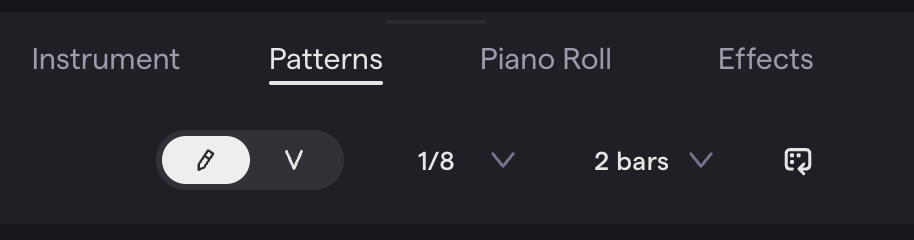
You can change the rhythm from 1/8th to 1/16th to get more steps for more control.
You can increase the length from 2 measures to 4 measures to make a longer pattern.
You can try velocity mode which gives you control over the loudness of each step.
Standards
- MSMTC8.CR.1 — Generate musical ideas for various purposes and contexts (programming rhythmic ideas step by step in Patterns Beatmaker).
- MSMTC8.CR.2 — Select and develop musical ideas for defined purposes and contexts (choosing drum sounds and arranging them into a beat pattern).